Built for the way hospitality actually runs.
Take an order, organise your menu and keep the team informed. Choose the package that fits your venue: Software Only, Standalone Till, Till + Monitors, or Till + Monitors + Mobile.
Everyday ordering, made straightforward.
Desktop Till / Checkout
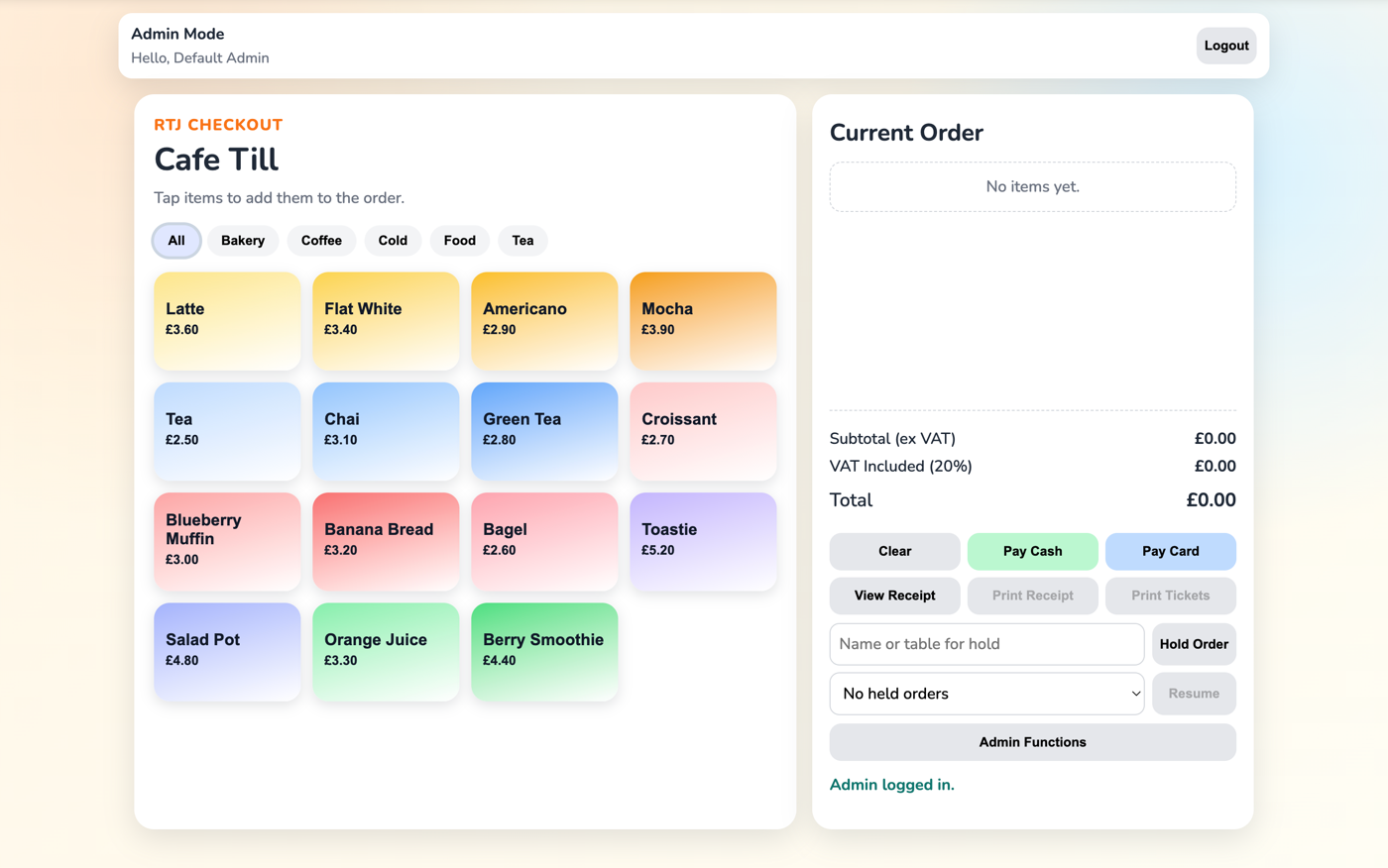
Browse products by category, change quantities, hold an order and record cash or card sales from the desktop till. Card payments are processed through a separate terminal or payment provider.
Hold & Resume Orders
Put an order on hold and come back to it later without losing what's already been added.
Discounts
Set up discounts and let authorised staff apply them during checkout.
Menu & Price Management
Keep product names, prices and categories up to date from your desktop. Eligible packages also include mobile menu editing.
Receipts & Printed Tickets
Review receipt details at checkout. Ticket and receipt printing are included in Standalone Till mode and can be enabled by Admin in Software Only. Ask us to confirm your computer and printer combination before ordering hardware.
Product & Category Management
Organise your menu into products and categories that make sense for your venue.
Food to the kitchen. Drinks to the bar.
Included with Till + Monitors and Till + Monitors + Mobile.
Kitchen Monitor
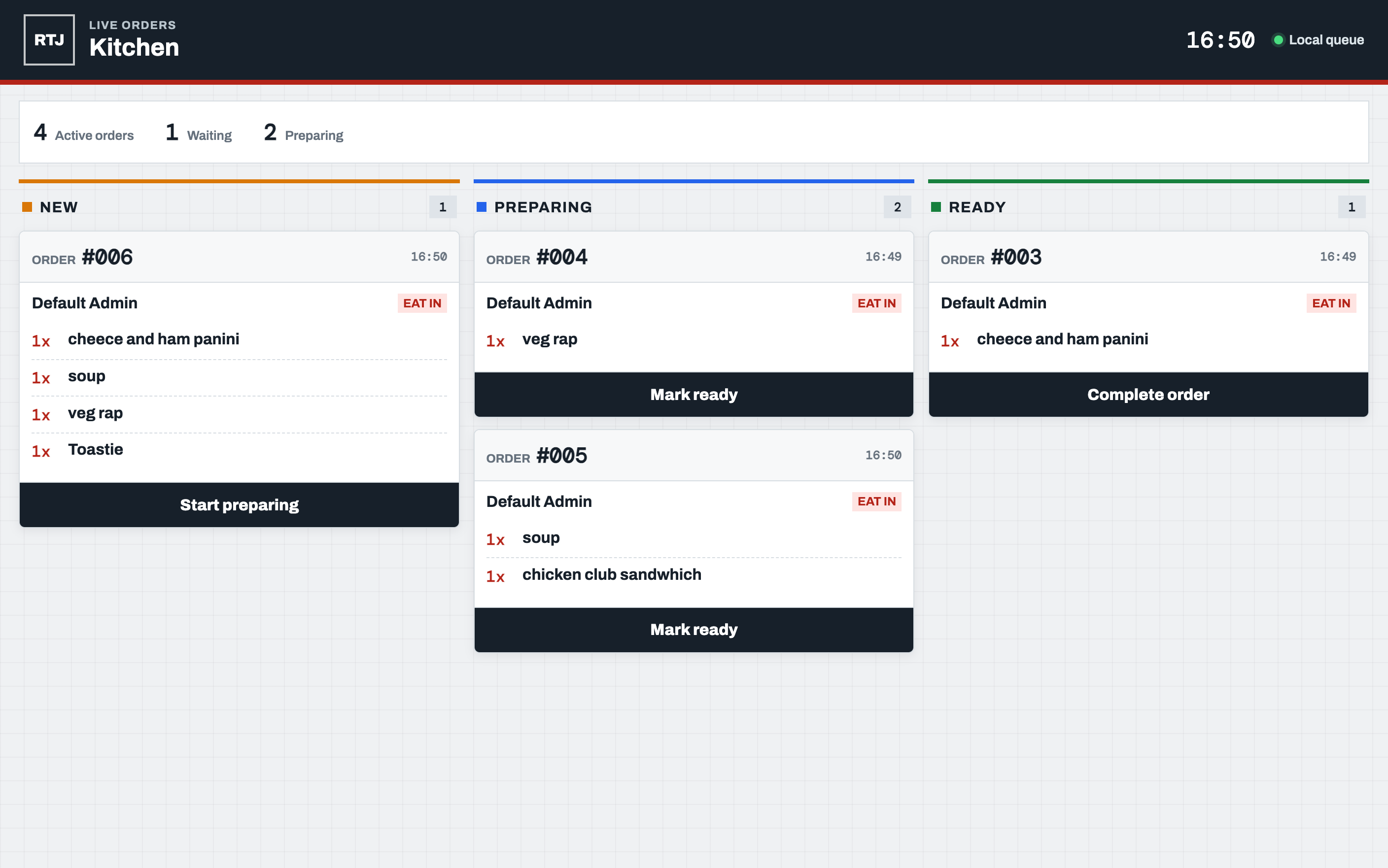
A separate screen for food orders, kept apart from drinks.
Bar & Coffee Monitor
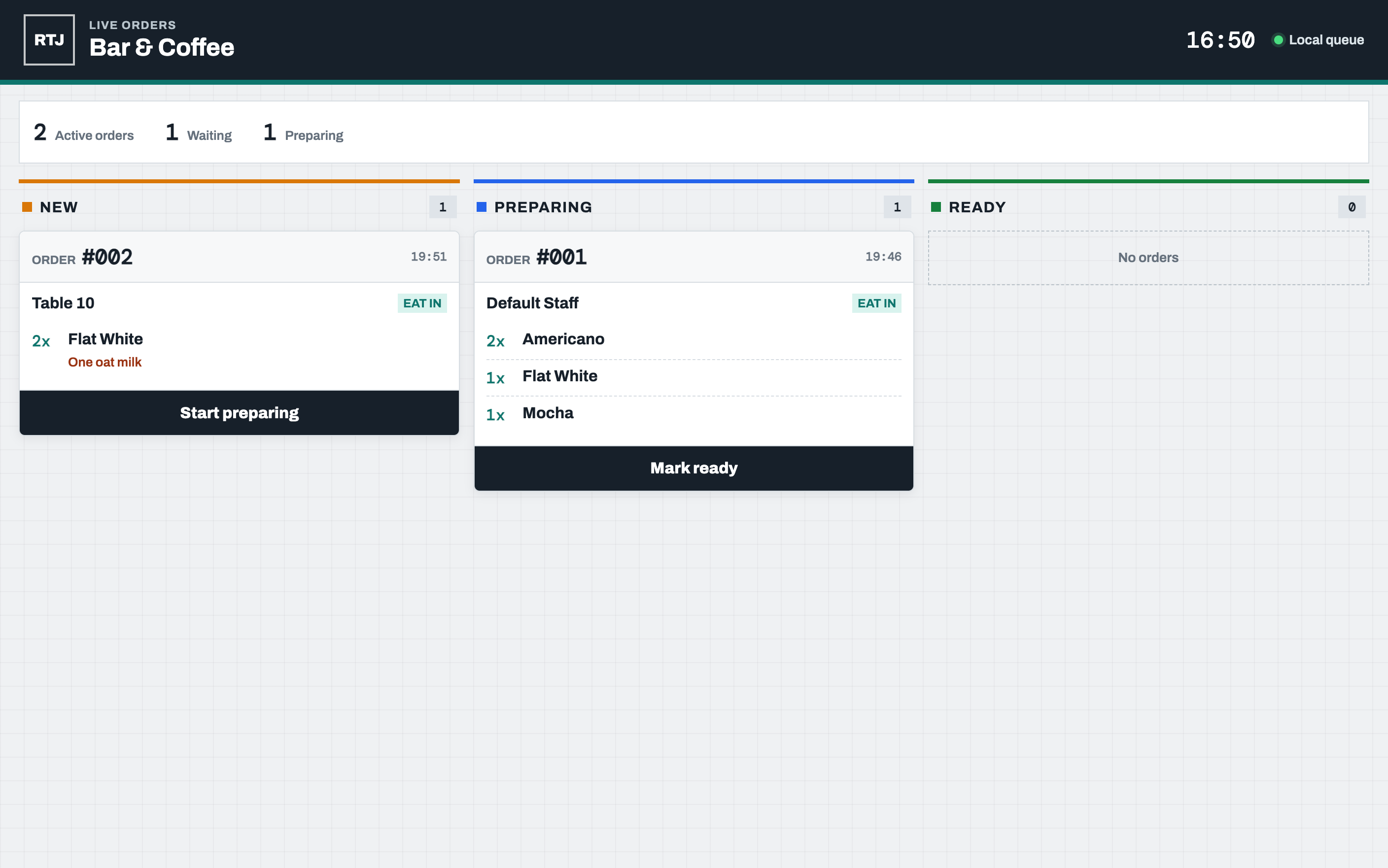
A separate screen for bar and coffee orders, kept apart from food.
Automatic Routing
Assign products to the kitchen or bar. On monitor packages, items are sent to their assigned screen when the order is placed.
Shared Order Numbers
Every station sees the same order number, so food and drinks stay easy to match up.
Order Statuses
Each station moves its own items through New → Preparing → Ready → Complete independently, while mixed orders keep one shared reference.
Dietary Labels
Dietary information is visible where staff preparing the order need to see it.
Built for teams, not just individual tills.
Staff, Admin & Tech Roles
Staff run the till. Admins manage products, prices, discounts and staff accounts. Tech users also control system setup, security and updates. PIN login and a separate Tech key help protect access.
Local Data Storage
Desktop order records are retained locally, helping your team keep track of service. Cloud-connected features require internet access.
Shared Product Availability
Monitor packages support shared product availability and mobile availability editing. Send the updated mobile menu to your connected till to reflect changes.
Connected Service
The desktop hosts its preparation screens and a local availability service. Mobile orders and shared menus use the cloud connection for your venue.
Cash Up Reports
Review end-of-day sales with Cash Up on monitor packages, or enable it in Software Only through Admin. Software Only records sales for these reports while the option is enabled.
Works where your team works.
Mobile / Table Service
With Till + Monitors + Mobile, take eat-in and takeaway orders, hold a basket and keep receipt history on a phone or tablet. Orders queued after connection failures retry when connectivity returns.
macOS & Windows Builds
Desktop builds target macOS and Windows; the mobile project supports iOS and Android. Contact us to confirm installation and hardware compatibility for your devices.
App Updates
Supported desktop installer builds can check for RTJ Checkout updates automatically, with scheduling controlled by a Tech user.
Accessibility Settings
Save text-size and reading-colour preferences for individual desktop staff accounts, so each person can use the till with their preferred display settings.
Dyslexia-Friendly Options
A dyslexia-friendly font and reading settings, built in rather than bolted on.
Delivery Integrations
Uber Eats authorisation, store linking and order handling are under sandbox development. Delivery-platform integrations are not yet offered as live customer features.
Find the setup for your venue.
Compare PackagesFeatures depend on your subscription and setup. Compare the packages, or book a demo so we can help you choose the right fit.
Preview the app