Take the order once. Send it everywhere it needs to go.
Take orders on a connected phone or tablet with Till + Monitors + Mobile. Items go to their assigned kitchen or bar screen under one shared order number, keeping the floor and preparation team connected.
One order, four steps.
Take Order
Staff take the customer's order from the till or a connected mobile device.
Send
Submit the order with its shared reference so staff can match food and drinks to the same customer or table.
Route
Food and drinks are routed to their appropriate service stations.
Serve
Each station moves its own items through New, Preparing, Ready and Complete, while keeping the same order reference.
Your preparation screens
The actual RTJ kitchen and bar views.
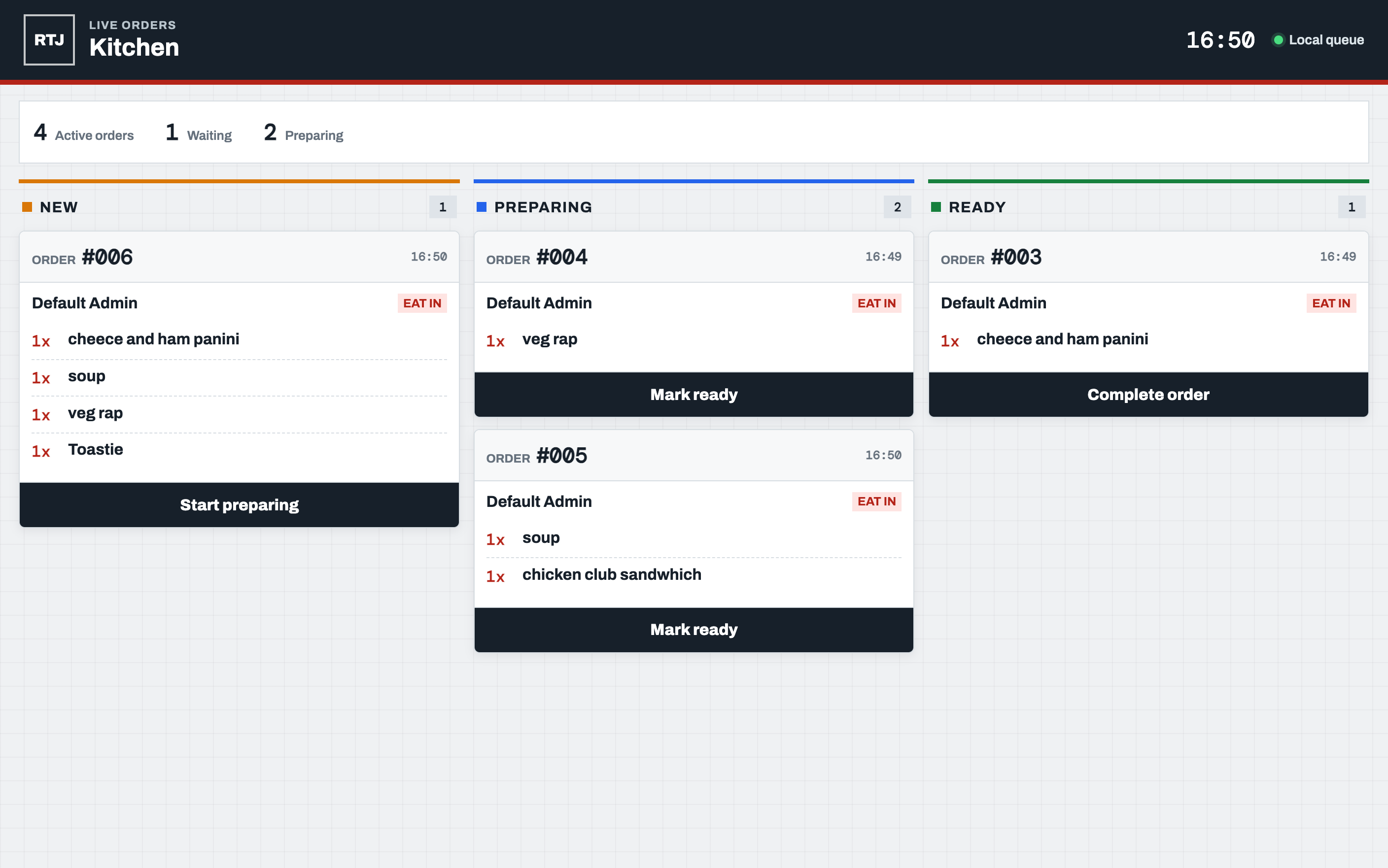
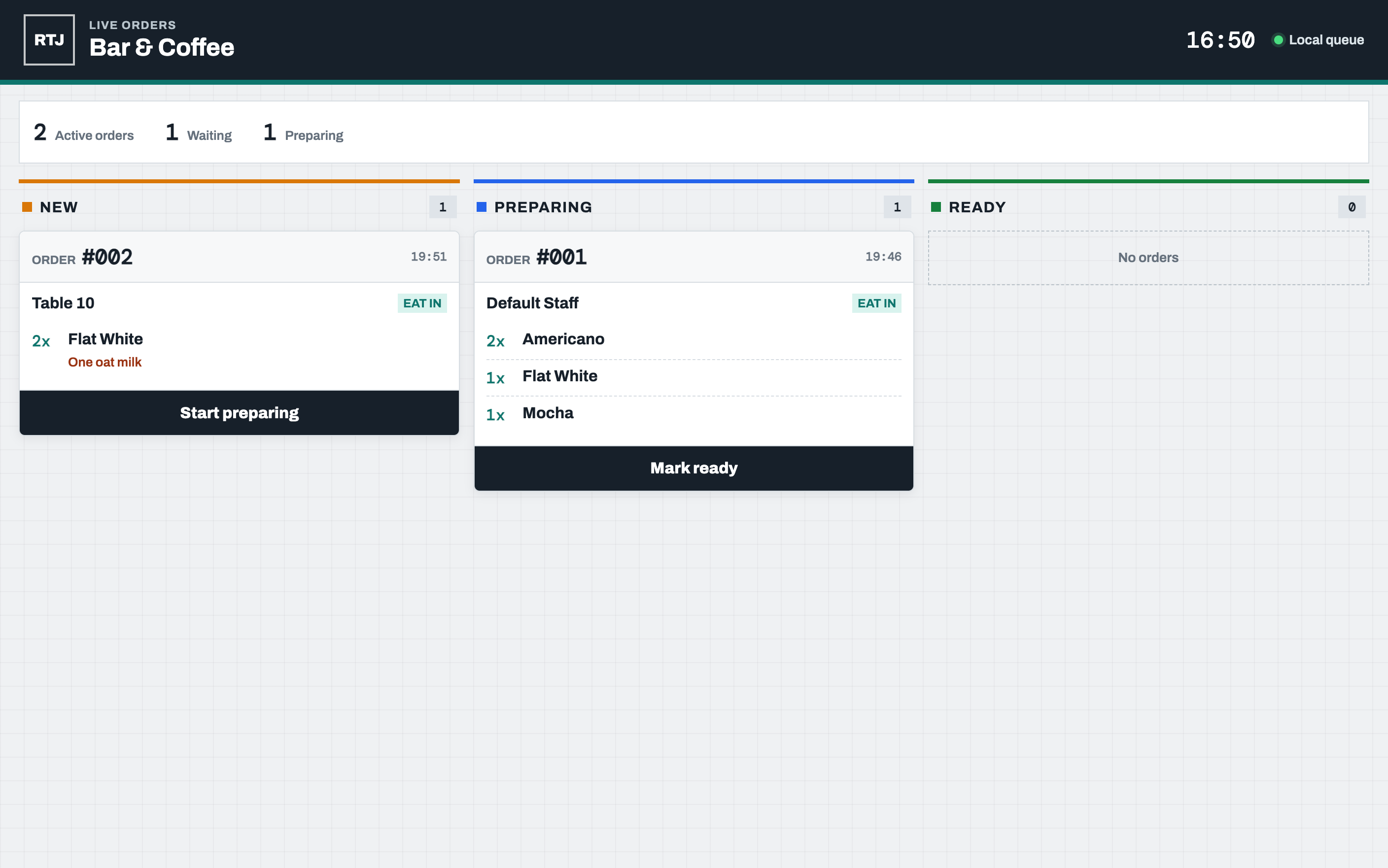
Table service that stays in sync with the rest of the till.
Mobile Ordering Devices
Staff take orders at the table on a connected mobile device instead of writing them down.
Shared Order Numbers
The same order number is used across the till, kitchen and bar so nothing gets mixed up.
Order References
Add a table or customer reference on mobile and choose eat-in or takeaway, so the preparation team can identify where each order belongs.
Kitchen & Bar Routing
Food and drink items are routed to their preparation station. Connected desktop screens regularly refresh the venue’s cloud queue to pick up orders.
Want to see table service in action?
Mobile order-taking requires Till + Monitors + Mobile. Receipt history stays on the device, and orders queued after connection failures retry when connectivity returns. Preparation screens receive those orders only after they sync. Preview the app to see the till and preparation screens.
Preview the app